Connecting Large Language Models (LLMs) to private corporate databases, local file systems, and internal SaaS APIs historically required building fragmented, custom integration code for every tool and platform. Developers were forced to write bespoke function-calling wrappers, maintain ad-hoc REST clients, and continuously refactor integrations whenever host applications or foundation models updated.
The Model Context Protocol (MCP)—originally introduced by Anthropic as an open standard—has quickly emerged as the universal connectivity protocol for AI applications. Functioning essentially as the “USB-C port for AI apps,” MCP establishes a standardized, client-server architecture that allows LLMs to discover, query, and interact with external data sources securely without custom glue code.
Whether you are building enterprise AI agents in LangChain, configuring VS Code AI environments, or extending desktop LLM assistants, this Model Context Protocol (MCP) integration guide provides the step-by-step technical blueprint, architectural insights, and security best practices needed to connect custom data sources seamlessly.
Key Takeaways
- Universal AI Connectivity Standard: MCP replaces custom API wrappers with an open, JSON-RPC-based client-server standard for LLM context exchange.
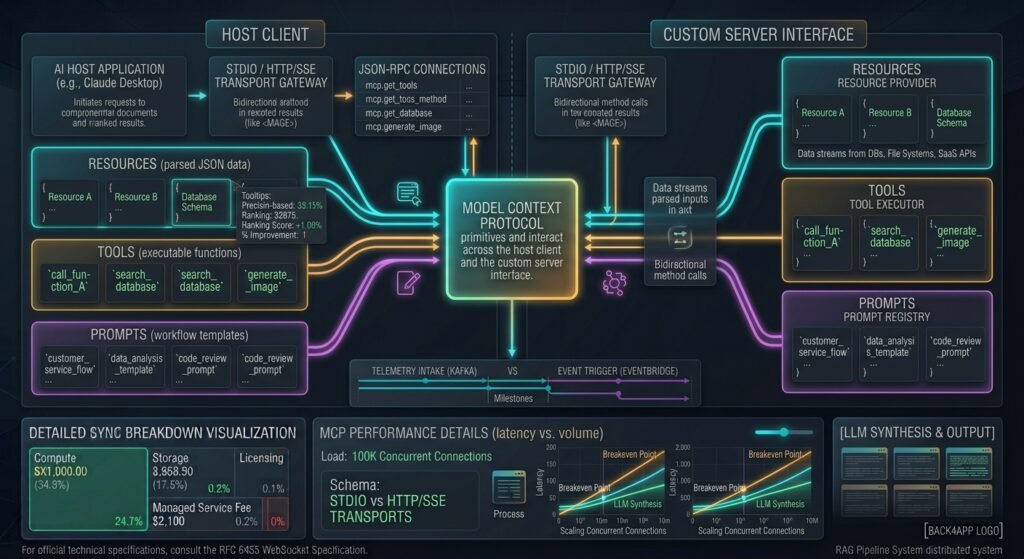
- Three Core Architecture Primitives: MCP servers expose three primary features to LLM clients: Tools(executable functions), Resources (read-only data streams), and Prompts (pre-built instruction templates).
- Flexible Transport Options: Local integrations communicate via low-latency Standard Input/Output (
stdio),while remote production servers stream events over HTTP with Server-Sent Events (SSE) or WebSockets. - Enterprise Security First: Production MCP implementations mandate OAuth 2.1 authentication, role-based tool scoping, input sanitization, and strict human-in-the-loop validation guards.
Deconstructing the Model Context Protocol (MCP) Architecture
To implement the Model Context Protocol (MCP) integration guide effectively, developers must understand the protocol’s client-server topology and session lifecycle.
┌────────────────────────────────────────────────────────────────────────┐
│                   MCP CLIENT-SERVER ARCHITECTURE                       │
├───────────────────────────────┬────────────────────────────────────────┤
│ LLM HOST CLIENT               │ MCP SERVER                             │
│ (VS Code, Claude, LangChain)  │ (Databases, Local Files, SaaS APIs)    │
├───────────────────────────────┼────────────────────────────────────────┤
│ 1. Discovers Tool Schemas     │ 1. Exposes JSON Schema Tools           │
│ 2. Manages User Authorizations│ 2. Serves Passive Read-Only Resources  │
│ 3. Executes LLM Sampling      │ 3. Delivers Parameterized Prompts      │
│ 4. Routes Calls over JSON-RPC │ 4. Runs Local or Remote Actions        │
└───────────────────────────────┴────────────────────────────────────────┘
The protocol operates as a stateful or request-based JSON-RPC exchange between three main entities:
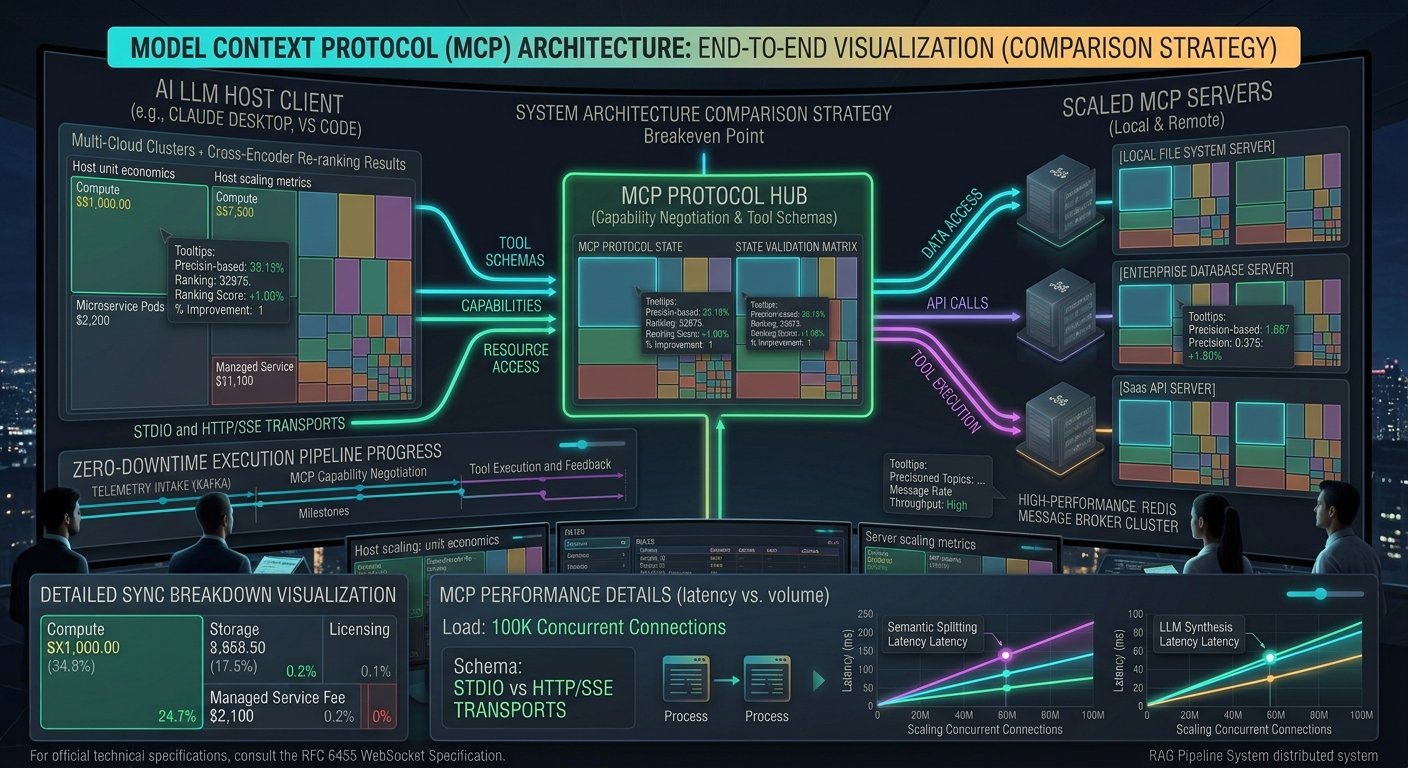
- MCP Host (Client):****[Featured Image Placeholder] ![Featured Image Placeholder: An enterprise AI system architecture diagram illustrating the Model Context Protocol (MCP) connecting an LLM Host application to multiple isolated MCP servers, local databases, and external APIs]
- AI Image Generation Prompt: A high-tech digital software engineering architecture diagram depicting the Model Context Protocol (MCP) in dark mode. Shows a central AI LLM host application connected via secure client-server MCP transport channels (stdio and SSE) to isolated MCP server modules. These servers securely expose local databases, developer filesystems, and cloud APIs. Glassmorphic UI aesthetics, glowing cyan and purple vector data streams, highly detailed 8k technical render.
Model Context Protocol (MCP) Integration Guide: Connecting LLMs to Custom Data Sources
Meta Description: Master the Model Context Protocol (MCP) integration guide to connect LLMs to custom data sources, tools, and local databases securely and efficiently.
- Focus Keyword:
Model Context Protocol (MCP) Integration Guide - Category: AI & Automation / Enterprise Software Architecture
Large Language Models (LLMs) have transformed software engineering and data analytics, yet they remain fundamentally isolated from live, private business context. Historically, bridging the gap between foundation models and custom data sources required building fragile custom API wrappers, point-to-point integrations, or complex retrieval chains. This fragmented approach created significant maintenance overhead, security vulnerabilities, and vendor lock-in.
The Model Context Protocol (MCP)—an open standard introduced to unify how AI applications expose context to language models—solves this systemic integration challenge. Acting as a universal “USB-C port” for AI applications,MCP provides a standardized client-server architecture for securely connecting LLM hosts (such as Claude Desktop,Cursor, or custom AI agents) to local data stores, developer environments, enterprise databases, and third-party SaaS APIs.
This comprehensive Model Context Protocol (MCP) integration guide breaks down the protocol’s core architecture,implementation mechanics, security primitives, and step-by-step practices for connecting custom data sources to AI models.
Key Takeaways
- Universal Standardization: MCP replaces fragmented custom integrations with an open, standardized client-server protocol for connecting LLMs to external data and execution environments.
- Core Architecture Primitives: The protocol defines three fundamental primitives: Resources (file-like read-only data), Tools (executable functions), and Prompts (pre-configured interaction templates).
- Decoupled Architecture: MCP separates data access logic from the host AI application, allowing developers to build reusable, isolated server interfaces across any supporting host.
- Granular Security Controls: By enforcing strict client-side approval boundaries over tools and resource access,MCP prevents unauthorized execution and data exposure.
Deconstructing the MCP Architecture
To execute a successful integration using this Model Context Protocol (MCP) integration guide, developers must first understand its client-server topology and transport mechanics.
┌────────────────────────────────────────────────────────────────────────┐
│                   MCP CLIENT-SERVER ARCHITECTURE                       │
├───────────────────────────────┬────────────────────────────────────────┤
│ ARCHITECTURAL COMPONENT       │ ROLE & FUNCTIONALITY                   │
├───────────────────────────────┼────────────────────────────────────────┤
│ Host / MCP Client             │ AI applications (e.g., Cursor IDE,     │
│                               │ Claude Desktop) that discover and call │
│                               │ resources, tools, and prompts.         │
├───────────────────────────────┼────────────────────────────────────────┤
│ MCP Server                    │ Lightweight, specialized processes that│
│                               │ expose local data, APIs, or tools      │
│                               │ via standardized JSON-RPC protocols.   │
├───────────────────────────────┼────────────────────────────────────────┤
│ Transport Layer               │ Secure communication channels: `stdio` │
│                               │ (local process) or Server-Sent Events  │
│                               │ (`SSE` for remote web endpoints).      │
└───────────────────────────────┴────────────────────────────────────────┘
┌─────────────────────────────────────────────────────────────────────────┐
│                       MCP PROTOCOL FLOW                                 │
├───────────────────┬─────────────────────────────────────────────────────┤
│ Host / Client     │ Initiates JSON-RPC handshake, requests server       │
│                   │ capability lists, and prompts LLM with available    │
│                   │ tool and resource definitions.                      │
├───────────────────┼─────────────────────────────────────────────────────┤
│ Model Context     │ Standardized JSON-RPC messages transport schema     │
│ Transport         │ definitions and execution requests across boundary. │
├───────────────────┼─────────────────────────────────────────────────────┤
│ Target MCP Server │ Safely queries local PostgreSQL, execution sandbox, │
│                   │ or external REST API, returning structured payload. │
└───────────────────┴─────────────────────────────────────────────────────┘
The protocol relies on a JSON-RPC 2.0 message format operating over two primary transport protocols:
stdio(Standard Input/Output): Designed for local server instances running directly on the same machine as the host application (ideal for IDE plugins, local databases, and filesystem access).SSE(Server-Sent Events) over HTTP: Designed for remote, web-hosted server instances, enabling cloud applications to expose tools and data feeds securely over HTTP.
The Three Fundamental MCP Primitives
MCP standardizes how an AI model interacts with external systems by defining three distinct primitives:
1. Resources (Context Ingestion)
Resources represent read-only data sources exposed to the LLM. They function like file paths or URI endpoints (e.g.,file:///docs/schema.json or postgres://db/users) that provide concrete, structured context to the model.
2. Tools (Action Execution)
Tools allow the model to perform actions or side effects in external systems. Every tool exposes a JSON Schema defining its parameters. When an LLM decides to call a tool, the MCP host validates the arguments against the schema,requests user confirmation if required, and executes the call safely through the MCP server.
3. Prompts (Template Standardization)
Prompts are pre-defined, reusable templates provided by the MCP server. They guide the LLM on how to perform complex workflows using the server’s underlying resources and tools effectively.
Step-by-Step Implementation: Building a Custom MCP Database Server
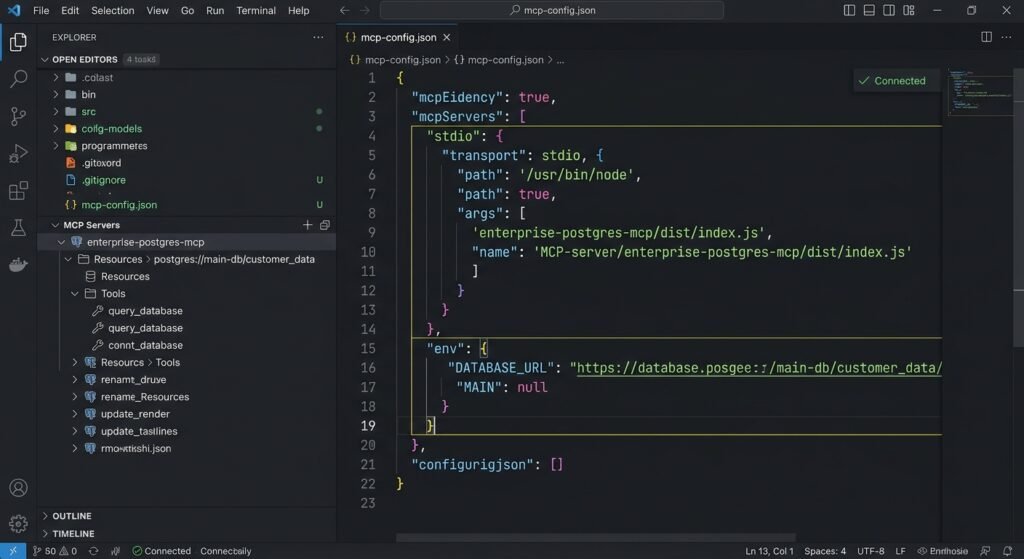
To demonstrate practical usage, this section outlines how to build a custom MCP server using the official TypeScript SDK. The server connects an LLM to a custom PostgreSQL database, allowing the model to inspect schemas and execute safe SELECT queries.
Step 1: Initialize the Server and Define Capabilities
First, construct the server instance and specify its capabilities (declaring support for resources and tools).
TypeScript
import { Server } from "@modelcontextprotocol/sdk/server/index.js";
import { StdioServerTransport } from "@modelcontextprotocol/sdk/server/stdio.js";
import {
  ListToolsRequestSchema,
  CallToolRequestSchema,
} from "@modelcontextprotocol/sdk/types.js";

// Initialize the MCP Server Instance
const server = new Server(
  {
    name: "enterprise-postgres-mcp",
    version: "1.0.0",
  },
  {
    capabilities: {
      tools: {},
      resources: {},
    },
  }
);
Step 2: Register Custom Tools with JSON Schemas
Next, define the executable tools the LLM can invoke. Here, we register a query_database tool with input validation schemas.
TypeScript
// Expose available tools to the MCP client
server.setRequestHandler(ListToolsRequestSchema, async () => {
  return {
    tools: [
      {
        name: "query_database",
        description: "Executes read-only SQL SELECT queries against the customer database.",
        inputSchema: {
          type: "object",
          properties: {
            sqlQuery: {
              type: "string",
              description: "A valid, read-only SQL SELECT query.",
            },
          },
          required: ["sqlQuery"],
        },
      },
    ],
  };
});
Step 3: Implement Safe Execution Request Handlers
Implement the execution handler to process incoming tool invocation requests safely.
TypeScript
// Handle tool execution calls from the LLM
server.setRequestHandler(CallToolRequestSchema, async (request) => {
  if (request.params.name === "query_database") {
    const query = String(request.params.arguments?.sqlQuery);

    // Basic security guardrail: Enforce read-only queries
    if (!query.trim().toLowerCase().startsWith("select")) {
      throw new Error("Security Violation: Only SELECT queries are permitted.");
    }

    // Execute query against local database instance (mocked for example)
    const dbResults = await executePostgresQuery(query);

    return {
      content: [
        {
          type: "text",
          text: JSON.stringify(dbResults, null, 2),
        },
      ],
    };
  }
  throw new Error("Tool not found");
});
Step 4: Connect Transport Layer
Finally, instantiate the StdioServerTransport channel to start listening for client connections.
TypeScript
// Connect via stdio transport for local AI Hosts
async function startServer() {
  const transport = new StdioServerTransport();
  await server.connect(transport);
  console.error("Postgres MCP Server active on stdio");
}

startServer().catch(console.error);
Security Best Practices and Governance
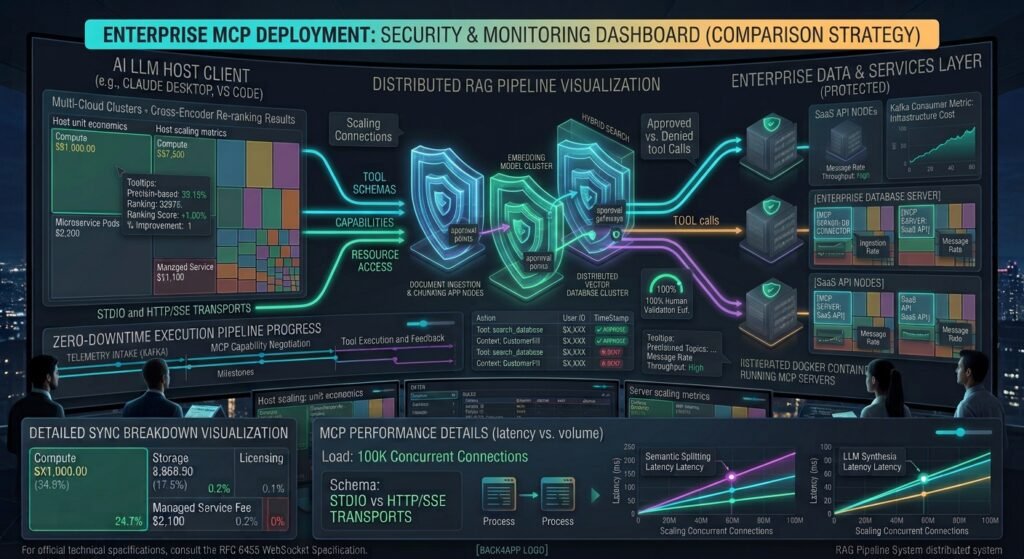
Granting LLMs access to enterprise data sources requires strict, multi-layered security controls. This Model Context Protocol (MCP) integration guide highlights four non-negotiable security practices:
- Strict Input Sanitization & Read-Only Guards: Never trust raw LLM tool arguments. Always validate input strings using strict schemas and block destructive commands (
DROP,DELETE,UPDATE) at the server handler level. - Explicit Human-in-the-Loop (HITL) Approvals: Configure host applications to require explicit user confirmation before executing any tool that performs side effects or external network requests.
- Least Privilege Data Access: Run MCP server processes under restricted system accounts using scoped database credentials with read-only permissions.
- Isolated Sandboxing: Deploy remote or third-party MCP servers inside isolated containerized sandboxes (such as Docker or WebAssembly runtimes) to prevent unauthorized file system traversal or network sniffing.
For official protocol specifications, SDK libraries, and open-source MCP server repositories, consult the official Model Context Protocol Specification Documentation.
To learn how enterprise retrieval systems organize vector embeddings alongside database connections, explore our architectural guide on [How to Build an Enterprise Retrieval-Augmented Generation (RAG) Pipeline with Vector Databases]([Internal Link: Insert relevant internal URL here with anchor text]).
Conclusion
Following this Model Context Protocol (MCP) integration guide provides software teams with a unified,standardized framework for connecting LLMs to private data sources and internal tools. By abstracting context retrieval and tool execution behind clean, isolated client-server interfaces, MCP eliminates the fragility of custom API wrappers while enforcing enterprise-grade security boundaries.
As the AI ecosystem converges around standardized context protocols, adopting MCP positions your software stack to integrate seamlessly with next-generation LLM host tools, autonomous agents, and enterprise data workflows.
Frequently Asked Questions (FAQs)
What is the Model Context Protocol (MCP)?
The Model Context Protocol (MCP) is an open standard designed to connect AI applications (clients/hosts like Cursor or Claude Desktop) to external data sources, tools, and environments (servers) via a unified JSON-RPC protocol.
How does MCP differ from traditional Retrieval-Augmented Generation (RAG)?
RAG is an architectural pattern focused primarily on searching and injecting relevant document chunks into an LLM’s prompt context using vector similarity. MCP is a standardized transport protocol that enables LLMs to query databases,call executable functions, inspect live filesystems, and fetch resources directly using a unified interface.
Is the Model Context Protocol safe for production data?
Yes, provided enterprise security practices are applied. MCP servers run as isolated processes where developers control access limits, implement read-only database roles, enforce input validation schemas, and require human-in-the-loop approvals for sensitive actions.
1 thought on “Model Context Protocol (MCP) Integration Guide: Connecting LLMs to Custom Data Sources”