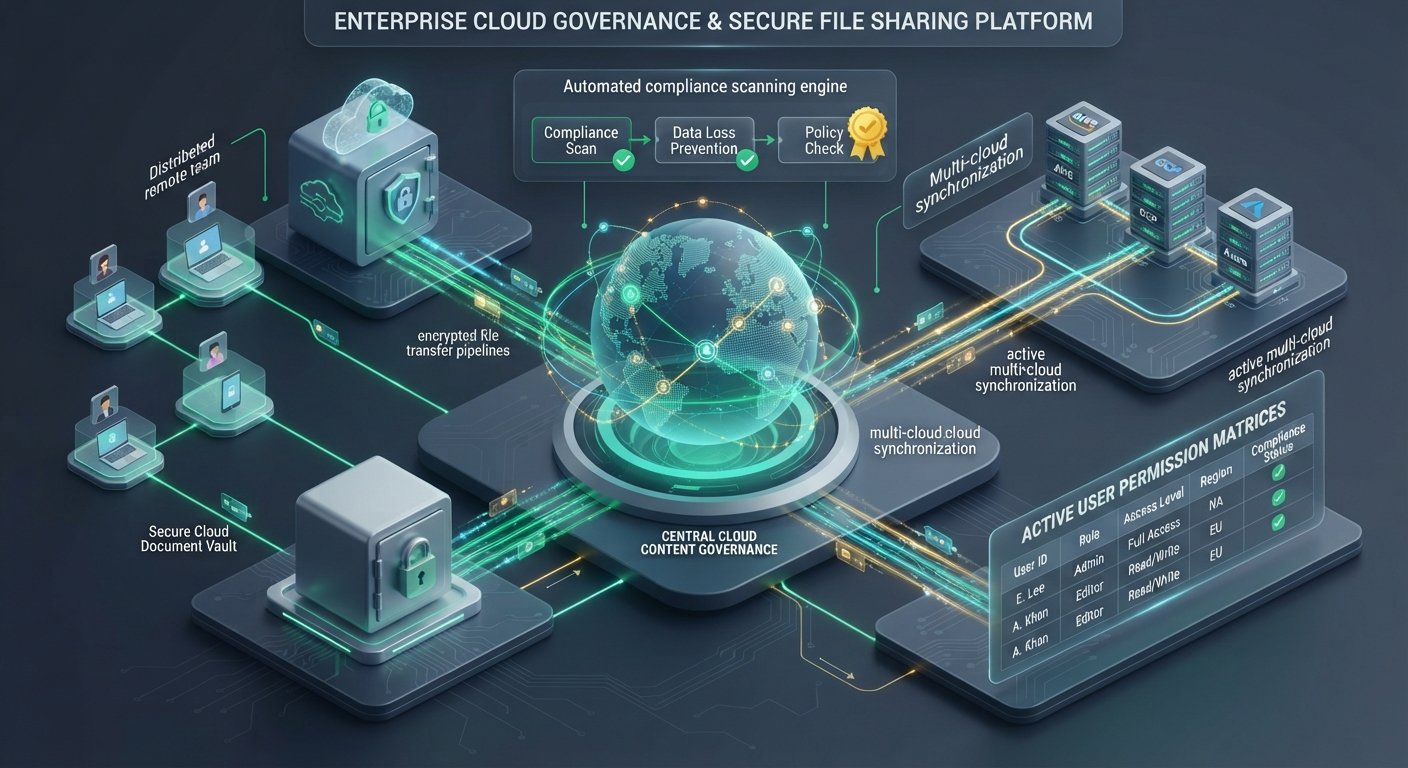
Managing enterprise content across distributed workforce environments requires far more than basic digital filing cabinets. Modern enterprises depend on scalable Content Cloud infrastructure that enforces strict Zero Trust access controls, maintains regulatory compliance, and enables seamless real-time collaboration across multi-department teams.
Choosing the top cloud storage and file sharing SaaS platforms for enterprise teams involves balancing strict security governance (HIPAA, GDPR, SOC 2), automated classification, seamless productivity suite integration, and cost-predictable storage tiers. This strategic guide evaluates industry-leading Enterprise Content Management (ECM) platforms, essential security architecture frameworks, and implementation roadmaps for modern IT operations.
Key Takeaways
- Data Governance over Simple Storage: Enterprise cloud platforms prioritize advanced features like automated sensitive data scanning, Digital Rights Management (DRM), custom encryption key management (BYOK), and legal hold retention over raw storage capacity. PCMag UK
- Ecosystem Synergy: Platform selection hinges on your primary productivity suite—Microsoft OneDrive integrates natively with Teams and Office 365, Google Drive powers real-time Workspace co-authoring, while Box and Egnyte act as vendor-neutral content hubs. Wbcom Designs
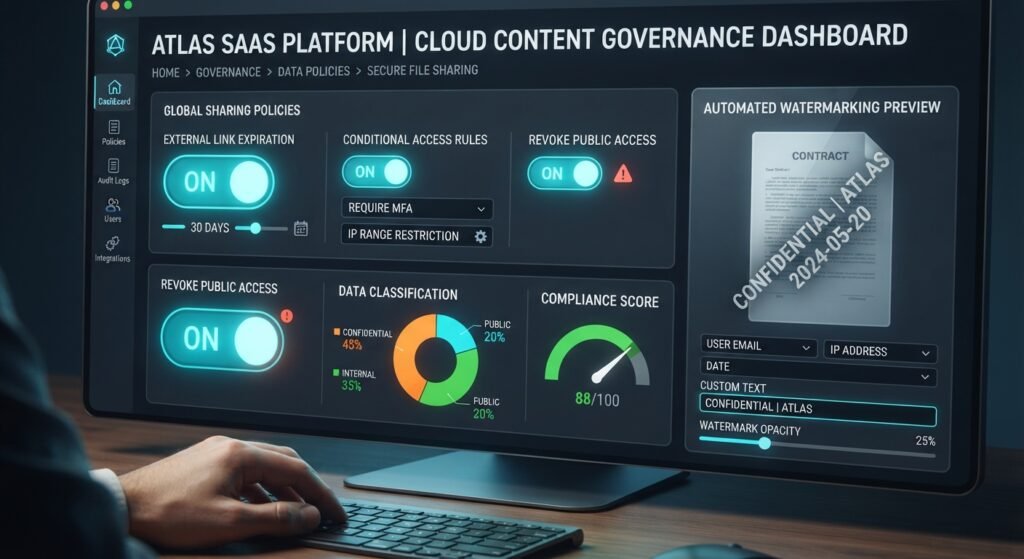
- Zero Trust & Granular Access Controls: Leading enterprise platforms offer role-based access control (RBAC), context-aware conditional access, dynamic watermarking, and automated threat detection to prevent unauthorized data exfiltration. MyFlopy
- AI-Assisted Search & Workflow Automation: Modern SaaS storage providers leverage AI engines to index unstructured data, generate document summaries, extract metadata, and automate multi-stage approval workflows.
Technical Evaluation Framework for Enterprise Cloud Content Platforms
Enterprise IT and CISO teams should analyze SaaS file sharing solutions across five fundamental pillars:
┌────────────────────────────────────────────────────────────────────────┐
│             ENTERPRISE CONTENT PLATFORM EVALUATION FRAMEWORK           │
├───────────────────────────────┬────────────────────────────────────────┤
│ SECURITY & COMPLIANCE         │ GOVERNANCE & DATA CONTROL              │
├───────────────────────────────┼────────────────────────────────────────┤
│ - Zero Trust Access & MFA     │ - Granular RBAC Permissions            │
│ - AES-256 & TLS 1.3 Encryption│ - DLP & Automated Classification       │
│ - HIPAA, GDPR, SOC 2, FINRA   │ - Customer-Managed Keys (BYOK)         │
├───────────────────────────────┴────────────────────────────────────────┤
│ COLLABORATION & INTEGRATION                                            │
│ - Real-Time Multi-User Co-Authoring                                    │
│ - Deep API Ecosystem (1,000+ Integrations)                             │
│ - Automated Workflow Orchestration & E-Signatures                      │
└────────────────────────────────────────────────────────────────────────┘
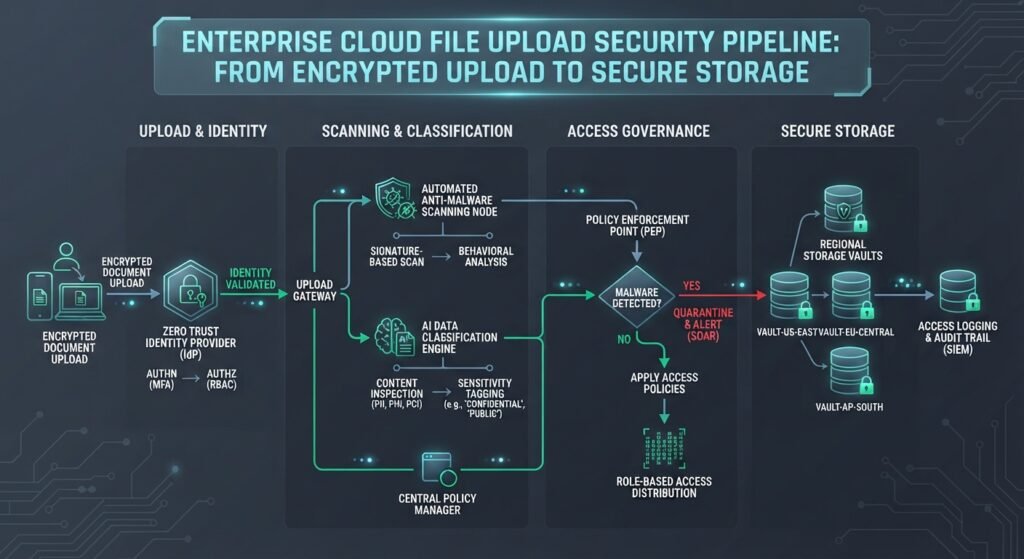
- Information Security & Encryption: Verification of end-to-end encryption standards, customer-managed encryption keys (Bring Your Own Key / BYOK), and automated malware detection.
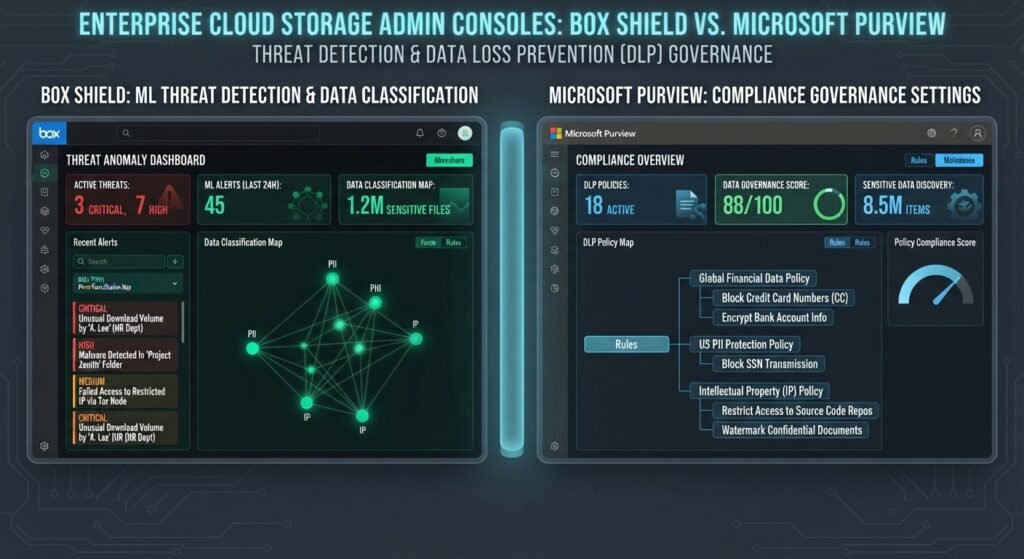
- Data Loss Prevention (DLP) & Governance: Automated classification of sensitive information (PII, PHI, PCI) paired with strict retention policies and legal hold capabilities.
- Productivity Suite Native Integration: Seamless connectivity with everyday collaboration tools like Slack, Microsoft Teams, Zoom, Salesforce, and Google Workspace.
- Administrative Visibility & Audit Trails: Comprehensive audit logging tracking file previews, edits, external shares, and IP location anomalies for SOC analysts.
- Bandwidth Performance & Delta Syncing: High-speed block-level differential syncing to handle large multimedia files and complex database archives efficiently.
Leading Cloud Storage and File Sharing SaaS Platforms for Enterprises
1. Box for Enterprise: Independent Security & Governance Standard
Box is a leading vendor-neutral Content Cloud engineered specifically for organizations where strict data governance, security, and compliance are paramount.
Wbcom Designs
- Core Strengths: Box Shield intelligent threat detection, 7-tier folder permission hierarchies, native Box Sign workflows, and over 1,500 third-party software integrations. Wbcom Designs
- Best For: Regulated enterprises (finance, healthcare, legal) requiring independent, enterprise-grade content security and deep API extensibility.
2. Microsoft OneDrive for Business / SharePoint: Microsoft Ecosystem Native
OneDrive for Business forms the foundational file storage layer for organizations centered around Microsoft 365 and Teams environments.
Wbcom Designs
- Core Strengths: Seamless co-authoring in Word, Excel, and PowerPoint, native Microsoft Purview compliance enforcement, conditional access policies, and deep Teams integration.
- Best For: Enterprise organizations heavily invested in Microsoft 365 licensing looking to consolidate collaboration and file infrastructure.
3. Google Drive for Enterprise (Google Workspace): Real-Time Collaboration Hub
Google Drive is the cloud-native storage engine powering real-time creation and multi-user collaboration across Google Workspace apps.
Wbcom Designs
- Core Strengths: Real-time multi-user editing, AI-driven search capabilities, automated file classification, and minimal infrastructure maintenance.
- Best For: Fast-scaling digital enterprises and agile remote teams prioritizing frictionless real-time document creation.
4. Dropbox Business Enterprise: High-Performance Sync & Creative Collaboration
Dropbox Enterprise remains an industry benchmark for rapid file synchronization, creative asset management, and external partner sharing.
- Core Strengths: Smart Sync virtual file streaming, LAN sync optimization, Dropbox Transfer for massive asset deliverables (up to 250 GB), and integrated e-signatures via Dropbox Sign.
- Best For: Media, design, marketing, and engineering teams that frequently exchange massive files with external collaborators. Wbcom Designs
5. Egnyte: Hybrid Cloud Architecture & Advanced Data Governance
Egnyte bridges the gap between on-premises NAS file servers and cloud storage, providing a unified hybrid content governance platform.
- Core Strengths: Native hybrid cloud deployment options, automated sensitive data discovery (GDPR, HIPAA), user behavior analysis, and granular permission controls across multi-cloud storage locations.
- Best For: Architecture, engineering, construction (AEC), and life sciences organizations managing legacy on-premise storage alongside cloud repositories.
To explore how secure SaaS infrastructure connects with software development workflows, read our breakdown of the [Best SaaS Monitoring Tools for Tracking Application Uptime and Performance]([Internal Link: Insert relevant internal URL here with anchor text]).
Enterprise SaaS File Storage Feature & Governance Matrix
| Platform | Primary Security Advantage | Primary Integration | Compliance Standards | Ideal Deployment Profile |
|---|---|---|---|---|
| Box Enterprise | Box Shield AI Threat Detection | 1,500+ Vendor-Neutral APIs | HIPAA, SOC 2, FINRA, FedRAMP | Highly Regulated Global Enterprise |
| Microsoft OneDrive | Microsoft Purview DLP Native | Native Microsoft 365 & Teams | HIPAA, ISO 27001, GDPR, FedRAMP | Microsoft-Centric Workforces |
| Google Drive | Automated Context-Aware Access | Google Workspace Ecosystem | SOC 2/3, ISO 27001, HIPAA | Cloud-Native Digital Organizations |
| Dropbox Business | Advanced Data Encryption & Sync | Slack, Zoom, Asana, Zapier | SOC 2, ISO 27001, HIPAA | Creative, Agency & Media Teams |
| Egnyte | Hybrid On-Prem/Cloud Data Governance | Multi-Cloud & NAS Server File Systems | HIPAA, GDPR, SOX, CMMC | AEC, Healthcare & Hybrid IT |
Implementation Roadmap for Enterprise Cloud Storage Migration
Migrating enterprise content repositories requires structured planning to protect corporate data and ensure business continuity:
┌─────────────────────────────────────────────────────────────────────────────────┐
│              ENTERPRISE CONTENT MIGRATION LIFECYCLE FOR IT                      │
├──────────────┬──────────────────┬──────────────────┬────────────────────────────┤
│ PHASE 1      │ PHASE 2          │ PHASE 3          │ PHASE 4                    │
│ Content Audit│ Configure Security│ Pilot Migration  │ Full Cutover &             │
│ & Clean Up   │ & DLP Policies   │ & Training       │ Archival                   │
└──────────────┴──────────────────┴──────────────────┴────────────────────────────┘
- Content Discovery and ROT Analysis: Audit legacy file servers to eliminate Redundant, Obsolete, and Trivial (ROT) data before initiating cloud ingestion.
- Architect Role-Based Permission Taxonomies: Standardize folder access structures and build group-based RBAC groups in your Identity Provider (Okta, Azure AD / Entra ID).
- Establish DLP and Encryption Safeguards: Configure automated classification rules for sensitive business files, enforce multi-factor authentication (MFA), and configure watermarking rules for external shares.
- Execute Phased Cutover with User Training: Conduct staged department migrations, deploy desktop sync clients, and deliver team training to encourage secure sharing practices.
For official recommendations regarding data protection frameworks, consult the NIST Guidelines for Managing the Security of Mobile and Cloud Devices.
Conclusion
Deploying the top cloud storage and file sharing SaaS platforms for enterprise teams is vital for protecting critical intellectual property while enabling modern distributed workforces. Box and Egnyte offer unmatched vendor-neutral security controls and hybrid governance for heavily regulated sectors. Meanwhile, Microsoft OneDrive and Google Drive deliver exceptional productivity value by integrating natively into daily workspace workflows. By aligning your platform choice with your core software ecosystem and establishing strict DLP governance, IT leaders can foster secure, frictionless enterprise collaboration.
PCMag UK+ 1
Frequently Asked Questions (FAQs)
What is the main difference between consumer cloud storage and enterprise SaaS platforms?
Enterprise SaaS platforms provide centralized administrative controls, single sign-on (SSO) integration, automated Data Loss Prevention (DLP), granular audit logging, legal hold capabilities, and compliance certifications (HIPAA, SOC 2) that consumer cloud storage lacks.
MyFlopy
How do enterprise cloud storage platforms secure shared links sent to external partners?
Platforms enforce security on external links by requiring password protection, setting strict link expiration dates, restricting access to verified recipient email addresses, disabling file downloads (view-only mode), and applying dynamic reader watermarking.
What is hybrid cloud storage, and why do some enterprises prefer it?
Hybrid cloud storage (such as Egnyte) combines local on-premises hardware (like NAS appliances) with cloud storage repositories. This configuration gives organizations high-speed local network access for massive files while maintaining global cloud syncing, remote access, and centralized offsite backups.
1 thought on “Top Cloud Storage and File Sharing SaaS Platforms for Enterprise Teams”